


Since joining Photon, I’ve heard the same story from developers and clinics again and again: getting their prescribing solution live took months. Demos, a drawn-out review process, sales calls and integration meetings, all before writing a single line of code. Photon completely flips this process. Sign up and start testing e-prescribing in as little as 5 minutes, no demos or sales calls required.
You can start using Photon fully independently. We support two environments: Neutron (our sandbox), where you build and test, and Photon (production), where you go live. Moving from one to the other is as simple as swapping API keys.
Within each environment, there are three ways to integrate Photon, depending on how much control you need. The Prescribe App is an out-of-the-box application for teams who don't need a custom integration. Embeddable elements wrap Photon's own prescribing UI for teams who want prescribing embedded directly in their product. And for teams who want full control, you can build directly against Photon's APIs. This direct API path isn’t just for custom UIs. It’s what enables our customers to build automated or AI-driven prescribing workflows - a space we are iterating on quickly. Note: direct API access is fully testable in the sandbox, but production use currently requires reaching out to our team.
Each path has its own tradeoffs, which I’ll explain in later posts.
Neutron: the Sandbox
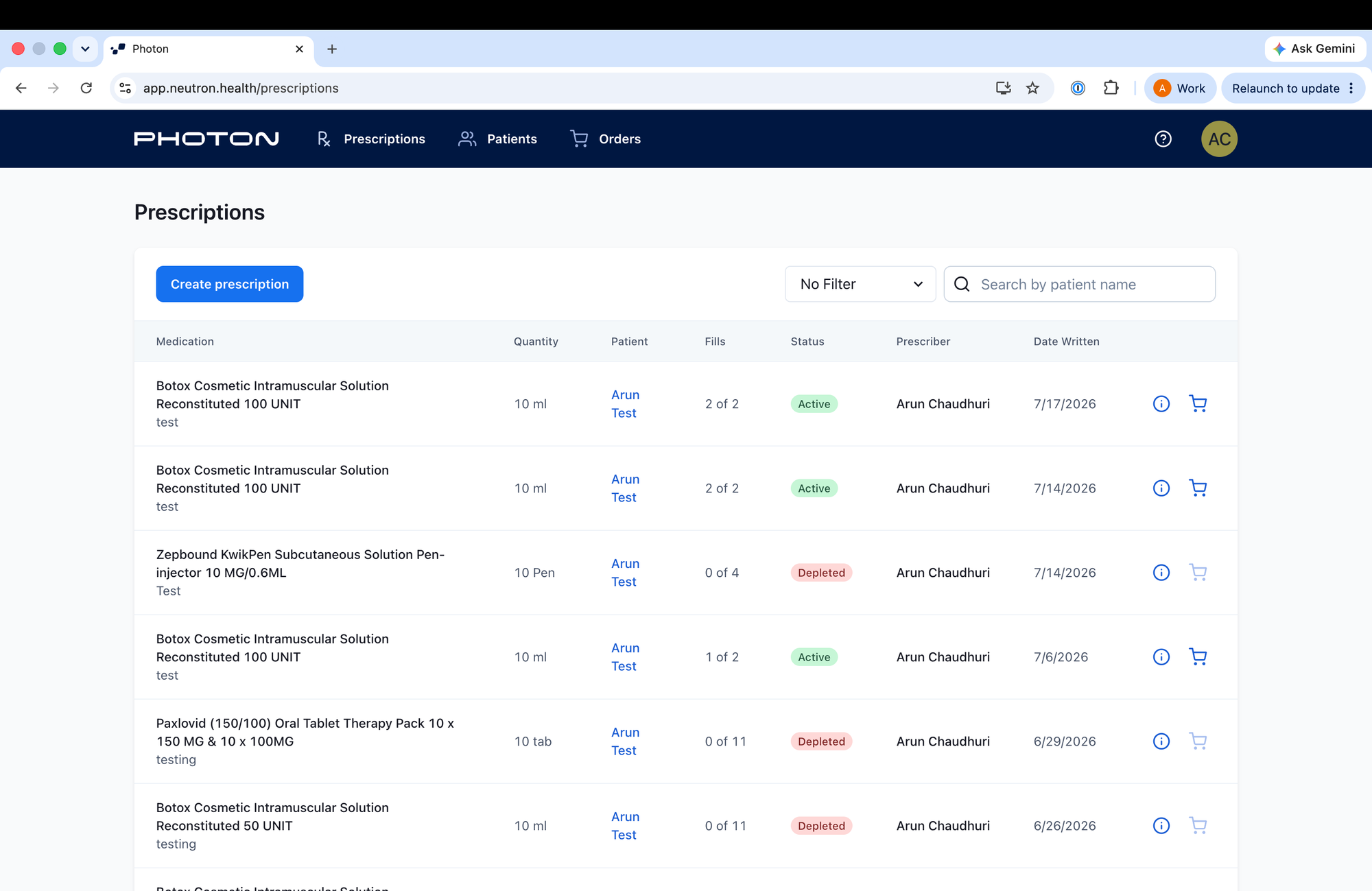
Our sandbox environment mirrors production 1:1. You can mimic your entire end-to-end prescribing experience in Neutron before you commit to a production plan. Here’s a quick rundown on how to get going:
- Sign up on our Get Started page
- Once you’ve completed the sign up flow, you should receive an email inviting you to Neutron
- Log into Neutron and immediately start testing the prescribe flow:
- Create a patient
- Draft a prescription
- Send the order
- You can grab API credentials from the developer tab in your settings page to test Photon elements in your own frontend or hit our API
To peek into the patient experience, you can create a test patient with your own phone number and we will send you a text message which simulates the patient view. This showcases our text communications to patients and allows exploration of our prescription marketplace.
Once you have your use case working end-to-end in Neutron, you are ready to upgrade to a production account.
Photon Pricing Plans
We offer three self-serve options. The capability differences between plans are intentionally narrow. Each upgrade unlocks a specific set of features that require real infrastructure work on Photon's side to deliver. White labeling (logo, color scheme) is configurable on every plan.
- Indie: for prescribers using Photon as a tool with no integration. These users are often solo prescribers or small practices.
- $50/mo for 100 orders, then $1/order overage
- Launch: for tech-enabled clinics, developers, and startups integrating APIs/elements.
- $800/mo for 2,000 orders, then $0.80/order overage
- Grow: for clinics needing custom prescribe UI, org provisioning, and custom SSO. Users include large clinics with multiple organizations.
- $3,000/mo for 10,000 orders, then $0.50/order overage
To get started, go to our webpage and follow the journey through the specific plan that fits your needs. You’ll need to provide your NPI to have prescription access. After going through the process, you’ll receive an email inviting you to the Photon web app.
If you’re integrating via elements or API, you can simply flip your sandbox API keys to the production API keys. Once inside the Photon application, you can grab your production API keys from the developer tab on the settings page (exactly like Neutron).
Note: Already on Doximity? Prescribing through Photon is built in and free for members.
Beyond Self-Serve
Photon self-serve is a great way to test your use case and get prescribing quickly. Our team is actively improving the experience, and I’ll dive deeper into our technical offerings in later blog posts.
If you have large order volumes, specific technical needs, or just want to share feedback - reach out to me. Always happy to jam!
FAQs
What is Neutron?
Neutron is the name of our sandbox environment.
How long does it take to start testing with Photon?
It depends on your method of integration, but signing up for an account and using the out of the box Prescribe App takes 5 mins.
Do I need to talk to sales to get started?
No! You only need to contact us if there are custom technical uplifts you are exploring.
What's the difference between the Indie, Launch, and Grow plans?
See the pricing breakdown above. The main differences are order volume, overage pricing, and the level of integration supported.
Can I switch from sandbox to production without re-integrating?
Yes, just sign up for a production account and swap your API keys.
Do I need an NPI for Neutron?
No! You do not need an NPI to use Neutron.
Resources
- Docs: rx.dev
- API reference: https://docs.photon.health/reference/clinical-api
- GraphQL playground: https://app.neutron.health/playground
- Sandbox Sign up: https://photonhealth.com/onboard?type=developer